Short answer: Performance Max is good for ecommerce once a store has steady conversion volume, working purchase tracking and a healthy product feed. On Google’s default setup it is risky. One campaign with every product optimises for revenue, not profit, so budget drifts toward high-volume, low-margin products. The fix is structure: split campaigns by margin, keep brand traffic separate, and send conversion values that reflect what each sale is worth. Building and running this structure is part of ecommerce Google Ads management at Adgenix.
Most ecommerce stores run PMax the way Google’s onboarding suggests: one campaign with all products, default audience signals, default conversion goal. The algorithm then does exactly what it was told, which is the wrong job for a catalogue with mixed margins.
This guide takes specific positions on segmentation, asset signals, brand exclusion, conversion value, Search Themes, and when not to use PMax at all. Some positions contradict Google’s official recommendations. The article assumes you already run PMax (or are about to), can navigate the Google Ads interface, and want to know what to do differently from defaults. For stores spending $5,000 a month and up, segmentation is where most of the gain is.
PMax has changed meaningfully in 2025 and 2026. Campaign-level negative keywords, full search term reporting for Search and Shopping placements, channel-level performance breakdowns, brand exclusions, and asset-level reporting have all rolled out. The control surface available to operators today is materially better than the 2022 to 2023 PMax most “best practices” content was written about. This guide reflects the 2026 state.
If you run Shopify, the Google Ads and Shopping setup guide for Shopify stores covers platform-specific setup. For WooCommerce, the WooCommerce setup guide does the same.
PMax campaigns inherit GMC feed health issues. For diagnosing and fixing disapprovals at the feed level, see the Google Merchant Center disapproval troubleshooting guide.
Why default PMax setup fails for ecommerce
The PMax onboarding flow guides you toward a single campaign holding all your products in one asset group, default conversion goal set to whatever Google detects, default audience signals built from your customer match if available, and default bid strategy of Maximize Conversion Value.
Google’s reasoning has internal logic. The algorithm performs better with more data, fewer constraints, and a unified view of your products. Splitting campaigns reduces the conversion volume any single campaign sees, which slows learning.
That reasoning is partially true. It’s also partially misleading for any ecommerce store with margin variability across products.
What actually happens with a single all-products campaign
The algorithm optimises for whatever conversion goal you set. Most stores set Maximize Conversion Value, sometimes with a target ROAS attached.
The algorithm then allocates budget to whatever products drive the most conversion value. Products with higher click volume win allocation regardless of margin. A 5% margin loss leader driving $1,000 in revenue contributes $50 to gross profit. A 50% margin hero product driving $500 in revenue contributes $250 to gross profit. Both look the same to a revenue-based algorithm. Revenue-based optimisation rewards the first one.
Over weeks, spend concentrates on whatever products produce the highest conversion value, which correlates poorly with profitability for most catalogues. Gross revenue numbers look fine. Profit margin per dollar of ad spend drops.
The default-setup tax
The pattern is consistent across mixed-margin ecommerce. Budget concentrates on products with the highest click volume, which are rarely the highest-margin products. For categories with margin variance from 5% to 50% across the catalogue, typical of fashion, beauty, and home goods, default-setup spend often clusters on loss leaders or low-margin volume products.
For uniform-margin categories such as single-brand resellers where most products carry similar markups, the default-setup tax is smaller. The same algorithm with the same defaults produces less harm because the margin distribution is narrower.
The fix is segmentation. Not arbitrary segmentation. Goal-driven segmentation that tells the algorithm something useful about your business it would not otherwise figure out from click data alone.
PMax segmentation: how to actually split campaigns
Consolidation versus segmentation is not a SKU-count decision. It is a business-goal and margin-structure decision. A 500-SKU store with uniform margins across products can run consolidated and perform well. A 50-SKU store with margins ranging from 5% to 60% will not. Segmentation is driven by what the algorithm needs to know about your business, not by catalogue size.
| Split campaigns by | Use it when | How to set it up | Watch out for |
|---|---|---|---|
| Margin tier (high, mid, low) | Margins vary widely across the catalogue | custom_label_0 = margin tier | Each campaign still needs enough conversions |
| Product category | Categories convert or get returned differently | product_type or a custom label | Small categories starve for data |
| New vs evergreen products | You launch products often | Custom label = launch window | Move products out after about 90 days |
| Strategic priority (hero, tail) | Brand-defining products are not your best-margin ones | Custom label = priority | Don’t stack this on margin tiers unless volume allows |
| Don’t split | Margins are similar and volume is low | One campaign | Over-splitting costs more than it gains |
Margin tier segmentation
For stores where margins vary meaningfully across products (typical of most ecommerce), margin tier segmentation is the highest-impact lever.
Map custom_label_0 in your product feed to a margin tier (high, medium, low) per product. Run three PMax campaigns:
- PMax-Hero (high margin products)
- PMax-Mid (medium margin)
- PMax-Tail (low margin or loss leaders that you still want to advertise)
Give each campaign its own budget. That is how you decide how hard each tier spends. I control effective ROAS through budget rather than a Target ROAS constraint, as the guide to Performance Max for ecommerce bidding explains. If you do use Target ROAS, set each tier’s target from that tier’s own break-even: high-margin products can run at a lower ROAS than low-margin ones, never the other way round.
Budget allocation starting point: 50% Hero, 35% Mid, 15% Tail. Adjust based on which campaigns can absorb additional budget profitably.
Why this works: the algorithm cannot second-guess the segmentation. You’ve told it which products are worth what. It optimises within each campaign according to the targets you’ve set.
For stores with uniform margins across products, this segmentation adds complexity without benefit. Don’t segment for the sake of it.
Product category segmentation
For multi-category stores where category economics differ meaningfully. A fashion store with apparel (high return rate, high margin, seasonal) and accessories (low return rate, lower margin, year-round) has different conversion behaviour per category.
Separate campaigns per major category let each find its own optimal targeting and bid strategy. The tradeoff is conversion volume per campaign. Smaller categories may not reach the conversion threshold needed for PMax to optimise effectively.
New versus evergreen products
Stores launching new products regularly benefit from a dedicated “new product investment” campaign. Products launched in the last 90 days go into this campaign with a more aggressive conversion goal, accepting lower initial ROAS in exchange for learning data on new SKUs.
After 90 days, products graduate to the mainline margin-tier campaigns based on actual performance. Hero performers join PMax-Hero. Mid performers join PMax-Mid. Failed new products either get pulled from advertising or moved to PMax-Tail with minimal budget.
Without this segmentation, new products either get starved (the algorithm prefers proven products) or distort your hero campaign metrics during launch periods.
Strategic priority segmentation
Hero, mid, and tail products defined by strategic importance, which is not always the same as margin tier. Hero products are brand-defining items where you want maximum visibility regardless of pure margin economics. Tail products exist for catalogue depth and don’t deserve premium ad investment.
For stores where margin and strategic priority overlap, margin tier segmentation alone is sufficient. For stores where they diverge (a 30% margin product that defines your brand presence vs a 50% margin product that’s a recent addition), strategic priority adds a useful dimension.
How many campaigns is too many
The trap: over-segmentation creates campaigns that don’t get enough conversion volume to learn from. As a working rule, not a Google requirement, aim for about 30 conversions per 30 days in each campaign before splitting further.
A store doing 100 conversions per month should not have 8 PMax campaigns. The algorithm would be guessing in each one.
Realistic segmentation by account size:
- $5,000 to $15,000 monthly spend: 2 to 3 PMax campaigns
- $15,000 to $50,000 monthly spend: 3 to 5 PMax campaigns
- $50,000 to $200,000 monthly spend: 4 to 8 PMax campaigns, possibly with both margin tier AND category segmentation
These are starting points. Some stores need more, some less. Match segmentation to conversion volume, not the other way around.
Asset signals: what works and what doesn’t
PMax uses two categories of input from you: audience signals and content signals. Most stores set these once at launch and never touch them. Better stores treat them as ongoing inputs that get refined as the account matures.
Audience signals
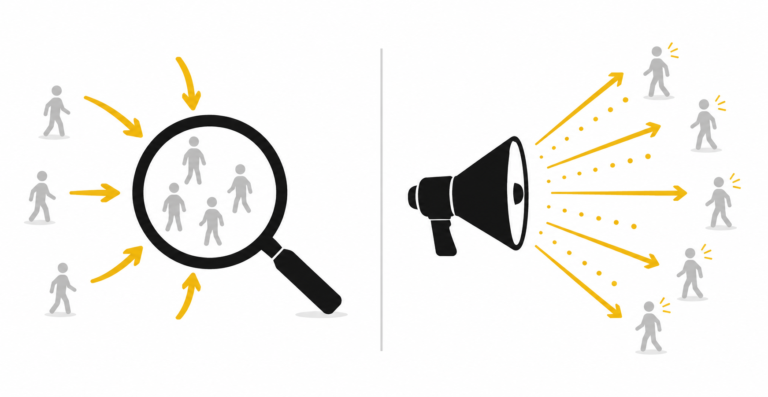
Audience signals tell the algorithm WHO to find. They don’t restrict who sees your ads.
If you upload your past purchasers as a custom segment, you’re telling PMax “find more people like these,” not “only show ads to these people.” The algorithm uses your audience signals as a starting hint and then expands outward based on what’s actually converting.
Most stores set audience signals once at launch and forget them. Better practice: refresh audience signals quarterly based on actual purchaser data. Recent buyers behave differently from buyers from two years ago. Your audience signal should reflect current customer behaviour.
For new accounts without enough first-party data: in-market segments work as starting signals. Very small customer lists give the algorithm little to learn from, so lean on in-market segments until your list is in the thousands.
Content signals
The text, image, and video assets you upload become the creative material PMax uses to generate ads across all 7 channels (Search, Shopping, Display, YouTube, Discover, Gmail, Maps).
More variety helps the algorithm find combinations that resonate. Minimum asset coverage for serious accounts:
- 5 headlines (5 to 30 characters each)
- 5 descriptions (longer-form value props)
- 10 images at multiple aspect ratios (1:1, 4:5, 1.91:1 at minimum)
- 1 video (longer than 15 seconds)
Stores that skip video entirely get demoted in PMax placements requiring video (YouTube, some Discover placements). PMax will auto-generate video from your images if you don’t supply one, but auto-generated video underperforms purpose-made video in most accounts.
Asset signals are suggestions, not directives
This is the most commonly misunderstood part of PMax. Google’s documentation describes asset signals as inputs that “help” the algorithm. In practice, the algorithm treats them as starting hints that get overridden when it finds higher-converting alternatives.
Your custom audience signal may show in early reporting that the algorithm is finding conversions outside your stated audience. This is by design. PMax will find conversions wherever they exist if they’re profitable enough.
This is a feature, not a bug, but it surprises operators who expect tight targeting. If you need strict audience targeting, PMax is not the right campaign type. Use Demand Gen with stricter audience controls, or Search with first-party audience lists.
Common asset signal mistakes
- Generic stock images instead of branded creative
- Skipping video entirely
- Same audience signal across all campaigns regardless of product type
- Setting a first-party audience as primary signal when the list is under 1,000 members
- Never refreshing assets after launch (PMax favours fresh creative; stale assets get fewer impressions over time)
Brand cannibalisation and brand exclusion
PMax is designed to find any conversion it can. Branded searches convert at very high rates because people searching your brand are mostly existing customers, customers ready to repurchase, or people who’ve already decided to buy from you.
The algorithm sees branded searches as cheap conversions and pours budget into them. Reported ROAS looks great. Incremental ROAS (revenue you wouldn’t have captured anyway through organic search or your existing Search brand campaign) is much lower.
Campaign-level brand exclusions
Performance Max has supported campaign-level brand exclusions since mid-2023. Path: Campaign settings → Brand exclusions → Add brands. The May 2025 move of brand settings into AI Max applies to Search campaigns, not Performance Max.
You add your brand and any common variants or misspellings as excluded. PMax stops bidding on those branded queries. Your existing Search brand campaign captures branded intent at higher Quality Score and lower CPC.
When to exclude brand: a goal-driven decision
The decision is driven by what you’re using PMax for, not a blanket rule. For why I use brand exclusion rather than Google’s new customer setting, see new customer acquisition in Performance Max.
If your goal is acquiring new customers who haven’t heard of your brand: brand exclusion ON. You don’t want PMax burning budget on people who would have found you organically. Reporting becomes clean because PMax results reflect non-brand acquisition only.
If your goal includes capturing branded conversions deliberately (some accounts treat branded converts as part of paid strategy for attribution or volume reasons): brand exclusion depends on how you attribute and report.
For most ecommerce DTC stores running PMax for growth: brand exclusion is ON, paired with a separate Search brand campaign for branded intent capture.
For stores without meaningful branded search volume: it doesn’t matter much either way.
The Search and PMax interaction
Search brand campaign and PMax with brand exclusion create clean separation. Search captures branded intent at high efficiency. PMax captures non-branded discovery.
Without brand exclusion: attribution gets muddled. Both campaigns bid on branded queries. The reported ROAS for PMax inflates because branded searches always convert well. Real incremental performance becomes harder to measure.
Conversion value strategy
Default PMax conversion tracking sends order total as conversion value. The algorithm optimises against that number.
The conversion value setup is only half the bidding decision. The other half is which bid strategy you point at that value signal, and whether your conversion volume actually supports value-based bidding in the first place. I walk through that decision in detail in the guide to choosing and optimising Performance Max bidding for ecommerce, including why I control ROAS through budget pacing rather than a Target ROAS constraint.
If your products have different margins, order-total optimisation rewards volume regardless of profitability. The 5% margin product driving $1,000 revenue contributes $50 profit. The 50% margin product driving $500 revenue contributes $250 profit. Revenue-based optimisation rewards the wrong one.
For PMax specifically, the algorithm is fast. A misconfigured conversion value setup can shift spend toward the wrong products within weeks, not months.
When you have COGS data per product
The cleanest approach is per-product cost tracking. Either through your ecommerce platform’s COGS field, or through a custom feed enrichment that flags each product’s margin tier.
PMax then receives conversion values weighted by actual margin contribution rather than gross revenue. Optimisation favours profitable products even within the same campaign.
Implementation depends on platform. For Shopify and WooCommerce, the platform-specific guides cover the technical detail.
When you don’t have COGS data
Most stores don’t have COGS populated per product. Categories are right, prices are right, COGS is empty or rough.
Without per-product COGS, default to gross revenue tracking and use custom labels for approximate margin tier segmentation. custom_label_0 maps each product to high, medium, or low margin tier based on category-level estimates. Each tier then runs as its own PMax campaign with its own budget.
This is not as precise as per-product COGS but captures most of the optimisation benefit without requiring the data infrastructure most stores haven’t built.
tROAS versus Maximize Conversion Value
Maximize Conversion Value: the strategy I run once a campaign has enough conversion and value data. Below that, Maximize Conversions is the safer start, and the bidding guide sets out the thresholds.
Target ROAS: adds a constraint the algorithm meets by cutting spend, which usually costs volume. I don’t use it. I control effective ROAS through budget pacing instead.
If you do run Target ROAS, set it from the campaign’s recent actual ROAS and its break-even, never from an aspirational number. Set it too high and the campaign stops spending. Set it too low and it buys revenue that loses money.
Search Themes and search visibility
Search Themes are inputs the algorithm uses to inform which queries to bid on. They are not keyword targeting. The algorithm makes final bidding decisions on its own, using Search Themes as one input among many.
When Search Themes help
Themes expanded from 25 to 50 per asset group in May 2025. Google has invested in this feature. Industry view in 2026 treats Search Themes as a critical actionable input replacing the older Search Category Insights.
Operator results vary. Themes can help short-term learning when launching into a new product category or broadening reach into adjacent queries. Long-term incremental lift is harder to measure cleanly in any single account because so many other variables move at the same time.
Honest framing: research-driven themes that map to actual customer search behaviour are worth populating. Generic category labels rarely move the needle. Don’t expect dramatic uplift from themes alone. Don’t ignore the feature entirely either.
For established campaigns: review and refresh themes quarterly. Remove themes that haven’t contributed to discovery based on search insights data.
Search term visibility in 2026
PMax now shows full search term reporting for Search and Shopping placements specifically. This rolled out in 2025 and is a material improvement over 2023 to 2024 PMax, which showed only aggregated search categories.
Display, YouTube, Discover, Gmail, and Maps placements still report at the category or insights level rather than individual queries. Most ecommerce conversions come from Search and Shopping placements anyway, so the visibility gain captures most of the optimisation opportunity.
Use the search terms report weekly during the first month after launch, monthly once performance stabilises, to identify negative keyword candidates and waste patterns.
The feed fields PMax actually reads
This guide focuses on campaign structure, but structure sits on top of the product feed, and PMax inherits whatever the feed gets wrong. Four field groups do most of the work. Product titles carry the heaviest weight in query matching: the tokens in your title largely determine which searches your products enter auctions for. GTINs unlock price benchmarking and some placement eligibility. The product_type and google_product_category fields drive classification, which affects both matching and reporting. And custom_label_0 through custom_label_4 are the only fields that carry business data the algorithm cannot see on its own, which is why the margin tier segmentation above depends on them. Feed work beyond these fields, including disapprovals and account health, is covered in the Merchant Center guide linked in the introduction.
When NOT to use PMax
Most content recommends PMax for everything. The honest answer is that PMax has account profiles where it underperforms simpler campaign structures.
Account spend below $3,000 monthly: start elsewhere first
PMax needs conversion volume to learn effectively. Below $3,000 monthly spend, the algorithm doesn’t get enough data and underperforms its potential.
Better starting point at this spend level: Search Ads for high-intent queries plus Standard Shopping with manual control. Build conversion data and account history first, then introduce PMax once spend justifies it.
Not “never use PMax at this spend.” Sequence matters. Search and Shopping first, PMax as a layer added later once volume supports it.
Stores with severe variant complexity
Stores with thousands of variations across hundreds of parent products, where variant-level differences (size, colour, material) drive different conversion behaviour, can struggle with PMax. The algorithm optimises at the asset group level, not the variant level. Stores needing variant-level control may get better results from Standard Shopping with manual product group bidding.
Stores in regulated categories
Healthcare, financial services, alcohol, supplements, and other regulated categories often have strict requirements around what queries you can target. PMax’s auto-expansion behaviour can conflict with regulatory requirements that demand precise query control. Standard Shopping plus Search with manual control is safer in these categories.
Existing strong Shopping campaign performance
If your Standard Shopping is performing well at scale, switching wholesale to PMax is not automatic. Some account profiles see PMax underperform a well-optimised Standard Shopping campaign. Test PMax alongside Standard Shopping rather than replacing it. Compare 30 to 60 days of performance before making structural decisions. For the full decision framework, see Performance Max vs Standard Shopping in 2026.
No existing search demand for the category
Most PMax ecommerce conversions come from Search and Shopping placements, which means the campaign is mostly capturing demand that already exists. If nobody searches for your product category yet, there is nothing to capture, and no Google campaign type fixes that. A product in a category people don’t know exists needs demand creation first, which is a different job on a different platform. The Google Ads vs Facebook Ads comparison covers how to match the channel to your demand state and when Meta is the right first channel for a launch.
PMax alongside Search and Standard Shopping
PMax does not exist standalone. The accounts that perform best run PMax as part of a layered structure with Search and (sometimes) Standard Shopping.
PMax does not replace Search
Search Ads capture branded intent (assuming brand exclusion is set on PMax). Search Ads capture specific high-intent queries that aren’t well-served by Shopping listings. Removing Search and going all-PMax is a common mistake. The accounts that do this lose branded conversion efficiency and miss informational-intent traffic that Shopping doesn’t capture.
Campaign-level negative keywords in PMax (2025 update)
January 2025: PMax began rolling out campaign-level negative keywords. In March 2025 Google raised the limit to 10,000 per campaign. This was a fundamental control improvement. Previously, PMax operators were limited to account-level negative lists or had to request campaign-level exclusions through Google representatives.
Use this in combination with the search terms reporting (now visible for Search and Shopping placements) to actively sculpt PMax traffic. Add negatives weekly for irrelevant or low-converting query patterns surfaced in search insights.
Some accounts report inconsistent rollout. Verify campaign-level negative keyword availability in your own UI before assuming it works for your account.
Standard Shopping still has a role, but the rationale changed
Previously, Standard Shopping was the only way to see individual search terms for Shopping traffic. With PMax now showing search terms for its Search and Shopping placements, that visibility gap has narrowed.
Standard Shopping is still useful for: stores wanting manual per-product-group bid control, accounts below PMax’s conversion volume threshold, regulated categories needing tight query control, and stores running specific tactical campaigns (clearance, retargeting catalogues, supplemental feeds for excluded products).
For most ecommerce stores at $5,000+ monthly spend with PMax working: Standard Shopping is no longer strictly necessary alongside PMax. It’s a choice based on control preference rather than visibility necessity.
The auction mechanics behind this changed in late 2024. Google moved Shopping auctions from automatic PMax priority to an ad rank model: the campaign with the highest ad rank wins the impression regardless of campaign type. Before that change, PMax took the auction whenever both campaign types covered the same product, which made running Standard Shopping alongside it mostly cosmetic. After it, a well-managed Standard Shopping campaign can genuinely win auctions for the products and queries where its ad rank is higher. The hybrid structure works now because of that change, not despite it.
AI Max for Search
AI Max for Search is a separate product from PMax. It layers AI features on top of Search campaigns (Search Themes, URL Expansion, AI-generated creative) while keeping keyword-level control. Launched late 2024, widely available in 2026.
Often confused with PMax because of overlapping feature names. They are distinct products with different control surfaces. Worth knowing exists; outside the scope of this PMax-focused guide.
Channel-level reporting (2025 to 2026 transparency improvement)
PMax now provides performance breakdown across the 7 channels it serves: Search, Shopping, Display, YouTube, Discover, Gmail, Maps. Previously the channel mix was opaque. The 2025 to 2026 Channel Insights report shows where your budget actually goes.
Common pattern in audits: 60 to 70% of ecommerce conversions come from Search and Shopping placements. Display and YouTube under-deliver for most ecommerce accounts despite often absorbing significant budget. Use channel-level reporting to identify under-performing channels and adjust asset signals accordingly.
Budget allocation across campaign types
Typical starting split for ecommerce: 60 to 70% PMax, 15 to 25% Search, 0 to 15% Standard Shopping (if running). Adjust based on account specifics, channel-level reporting, and what’s actually working in your account.
Optimisation cadence specific to PMax
PMax’s controls have improved meaningfully in 2025 to 2026 with campaign-level negatives, full search term reporting for Search and Shopping placements, and channel-level breakdowns. PMax is no longer the black box it was in 2022 to 2023.
It’s still different from Standard Shopping or Search though. No per-product pause control, no per-placement bidding, asset-level rather than ad-level optimisation. Optimisation rhythm reflects what controls you actually have.
Weekly, fortnightly, monthly
Weekly: search terms report for Search and Shopping placements, identify negative keyword candidates (campaign-level negatives now supported up to 10,000), urgent disapprovals or feed issues.
Fortnightly: asset performance review (drop low-performing assets, add fresh ones), audience signal updates if new first-party data is available, channel-level performance review, urgent budget reallocation.
Monthly: full campaign-level performance review, segmentation refresh decisions, budget reallocation across campaigns, Search Themes refresh if used, conversion value strategy validation.
Quarterly: account structure review, campaign restructuring decisions if needed, strategic shifts based on business priorities.
The 30-day learning period
Google’s documentation references a 30-day learning period after structural changes. The honest framing: PMax is always learning, but major structural changes (segmentation overhauls, bid strategy switches, large asset replacements) do require roughly 30 days to restabilise.
Don’t make multiple structural changes simultaneously. The algorithm can’t isolate what caused what. Pick one structural change, commit for 30 days, evaluate, then make the next change.
This discipline is hard for operators conditioned by Search campaign rhythms where weekly changes are normal. PMax punishes high-frequency structural intervention.
When to bring in Performance Max management help
Bringing in outside paid media help is the same decision regardless of platform.
If your monthly ad spend is over $5,000 and your PMax is running on default settings, the algorithm is leaving margin on the table that often exceeds professional ecommerce PPC management fees. If your conversion tracking has not been audited since launch, the data you’re optimising against is probably wrong. If your feed has not been touched since launch, the same is true.
For the broader question of whether you need a freelance specialist, an agency, or an in-house hire, the ecommerce PPC agency vs freelance specialist decision framework walks through the tradeoffs.
For the specific question of whether you need a Google Shopping specialist, Google Shopping management covers the signals that warrant Shopping-specific expertise versus generalist Google Ads support.
Frequently asked questions
Is Performance Max good for ecommerce in 2026?
Yes for most stores past roughly $3,000 a month in spend with working conversion tracking and a healthy feed. The 2025 to 2026 control improvements (campaign-level negatives, search term reporting for Search and Shopping placements, channel breakdowns) removed the black-box objections that were valid in 2022 and 2023. The caveat is that the return comes from structured setup rather than defaults: segmentation matched to your margins, brand exclusion, and a deliberate conversion value strategy. On defaults, PMax spends confidently and loses margin quietly.
How many PMax campaigns should I run?
Driven by margin variability and business goals, not by SKU count. Stores with uniform margins across products can run consolidated. Stores with margins varying meaningfully (say, 10% to 50% across products) benefit from segmentation by margin tier. Typical patterns: 2 to 4 campaigns at $5,000 to $50,000 monthly spend; 4 to 8 at higher spend if both margin tier AND category segmentation make sense. The constraint: each campaign needs roughly 30+ conversions per 30 days to optimise effectively, so don’t over-segment small accounts.
Can I see search terms in PMax now, or do I still need Standard Shopping for that?
As of 2025, PMax shows full search term reporting for its Search and Shopping placements. Display, YouTube, Discover, Gmail, and Maps placements still report at the category level. This is materially better than 2023 to 2024 PMax. Standard Shopping is no longer strictly necessary alongside PMax for search term visibility, though it still has a role for stores wanting manual per-product-group bid control.
Should I let PMax bid on my brand terms?
Depends on the goal. If you’re running PMax to acquire new customers who haven’t heard of your brand, exclude brand from PMax. Otherwise it burns budget on people who would have found you organically and reported ROAS becomes misleading. If your goal includes capturing branded conversions as part of paid strategy, brand exclusion is a judgement call based on how you report and attribute. For most ecommerce DTC stores running PMax for growth, brand exclusion is on, paired with a separate Search brand campaign.
How long should I wait before declaring PMax is or isn’t working?
Minimum 30 days at consistent spend with a single bid strategy. Most operators bail too early, restructuring or switching off PMax after 2 to 3 weeks before the algorithm has enough data. Pick a structure, commit for 30 days, then evaluate. Don’t make multiple structural changes inside that window.
Are Search Themes the new keywords?
No. Search Themes are inputs the algorithm uses to inform query selection, not keyword targeting. The algorithm makes final bidding decisions. Industry usage has expanded, themes were expanded from 25 to 50 per asset group in May 2025, and many practitioners treat them as a critical input. Operator results vary on long-term incremental lift. Research-driven themes that map to actual customer search behaviour are worth populating. Generic category labels are not.
Should I use Max Conversion Value or tROAS?
Start with Maximize Conversions while the campaign builds data, then move to Maximize Conversion Value once conversion volume and product value support it. The bidding guide sets out the thresholds. I don’t add a Target ROAS constraint. I control ROAS through budget pacing. If you do use Target ROAS, set it from recent actual ROAS, not an aspirational target.
Where Adgenix sits
Adgenix runs Performance Max, Shopping, and Search campaigns for ecommerce DTC brands across Australia. Senior operator involvement on every account, not an account-management hierarchy. Audit-first engagements with the Free Revenue Leak Report before any commercial discussion.
Best fit: stores at $5,000 a month and up in monthly ad spend, 50 to 5,000 SKUs, serving Australian or international markets.
Google Shopping specialist track for stores where Shopping and PMax are the primary growth lever.
If your PMax is running on default settings and your spend is meaningful, the audit identifies what’s fixable, what’s highest-impact to fix first, and what the realistic uplift looks like. No commitment beyond the audit, no sales calls during it, no hand-off to junior staff after.
Book the Free Revenue Leak Report.
This guide covers campaign-level structure; the next layer down is asset groups and creative. For a deeper dive into that, see our guide on how to structure Performance Max asset groups and creative for ecommerce, which covers product-theme asset groups, the 2026 asset and video specs, and the AI voice-over change every operator should audit.